Module configuration
Main page: Configuration
Previous: Schedules
Next: Sensor group configuration
Modules live under Setup → Advanced. The setup wizard creates and wires a module for you, so most setups never need this page — come here to tune the calculation or share one module across zones.
Add one or more modules that calculate irrigation duration. Each module comes with its own configuration and can be used to calculate duration for one or more zones. Modules can't be deleted if they are used by one or more zones.
Adding a module
Select a module type and select Add module. Once added, you can configure the module
Configuring a module
The following modules are available:
- PyETO: Calculate duration based on the FAO56 calculation from the PyETO library. The following options are available:
- Coastal: If the location you are tracking is situated on or adjacent to coast of a large land mass or anywhere else where air masses are influenced by a nearby water body, enable this setting.
- Solrad behavior: Determine how you want to retrieve or estimate solar radiation. This might take some experimentation to figure out what works best for you. There are multiple options available:
Estimate from temperature: estimate solar radiation from temperature. Any solar radiation value provided by your sensor group is ignored.Estimate from sun hours: estimate solar radiation from the number of sun hours. Any solar radiation value provided by your sensor group is ignored.Do not estimate: This requires a solar radiation sensor in the sensor group to be configured. Since many weather stations and weather services don't provide this information, it's likely you'll want to instead use one of the 'estimate' options.Estimate from average of sun hours and temperature: estimate the solar radiation from both the sun hours and temperature. Any solar radiation value provided by your sensor group is ignored.
- Forecast days: How many forecast days to take into account.
0(the default) uses today's weather only. A higher value averages today's evapotranspiration with the forecast evapotranspiration for that many upcoming days. It does not read forecast rain: a cloudy, humid forecast day has lower evapotranspiration and so lowers the average slightly, but how much rain is forecast plays no part. To water less when rain is forecast, use When rain is forecast instead. Requires a weather service.
- Static: static configurable nett precipitation. Enter the nett precipitation in the
Deltabox. - Passthrough: Return the value of an evapotranspiration sensor as delta. Passthrough takes your evapotranspiration sensor and returns its value. It bypasses all calculations, except aggregates. This requires a solar radiation source to be configured in your sensor groups.
Deleting a module
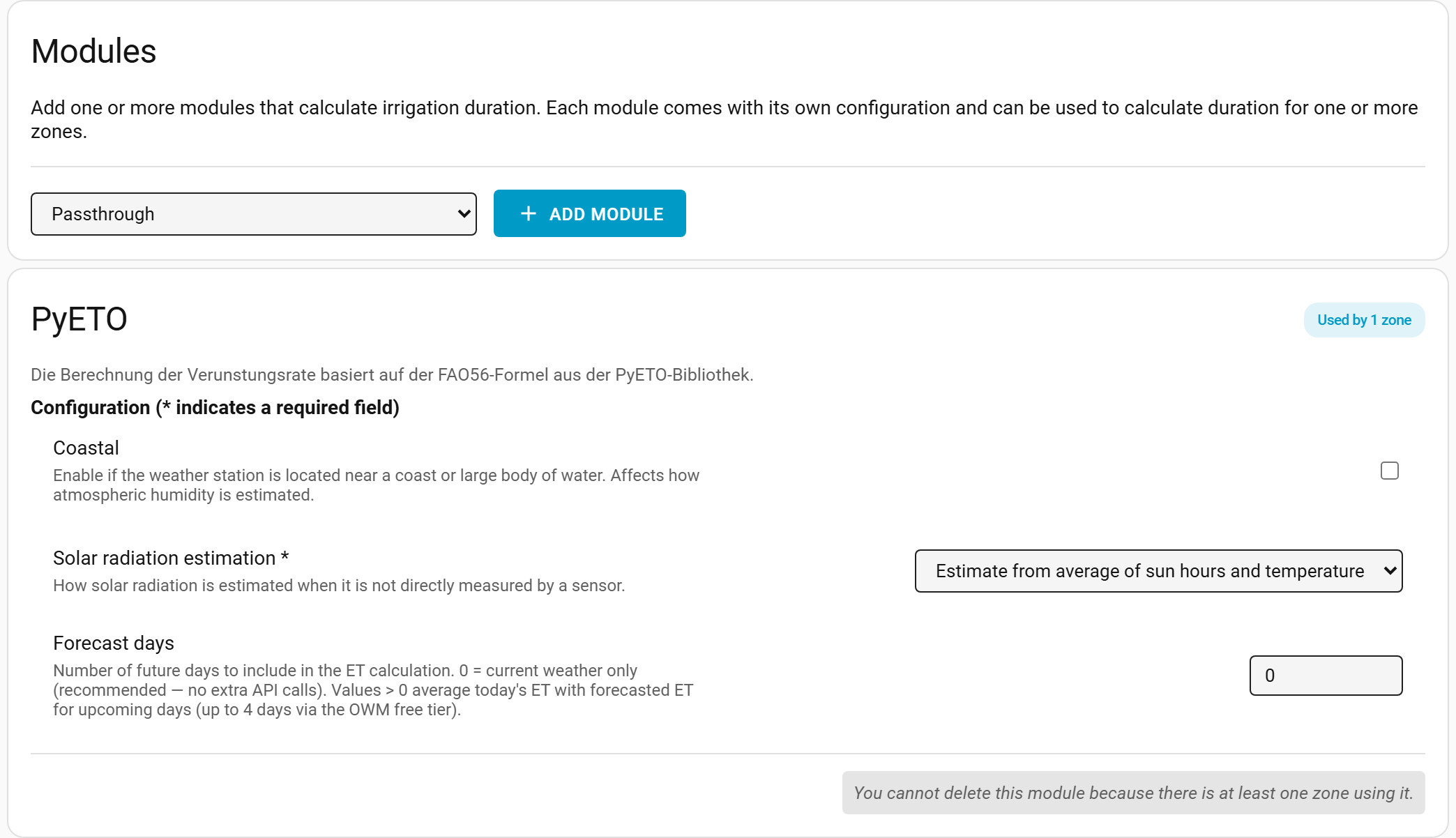 Use the button at the bottom to delete a module. Note you can only delete modules that are not used by any zones.
Main page: Configuration
Previous: Schedules
Next: Sensor group configuration