Manual / Features
Mileage & allowance
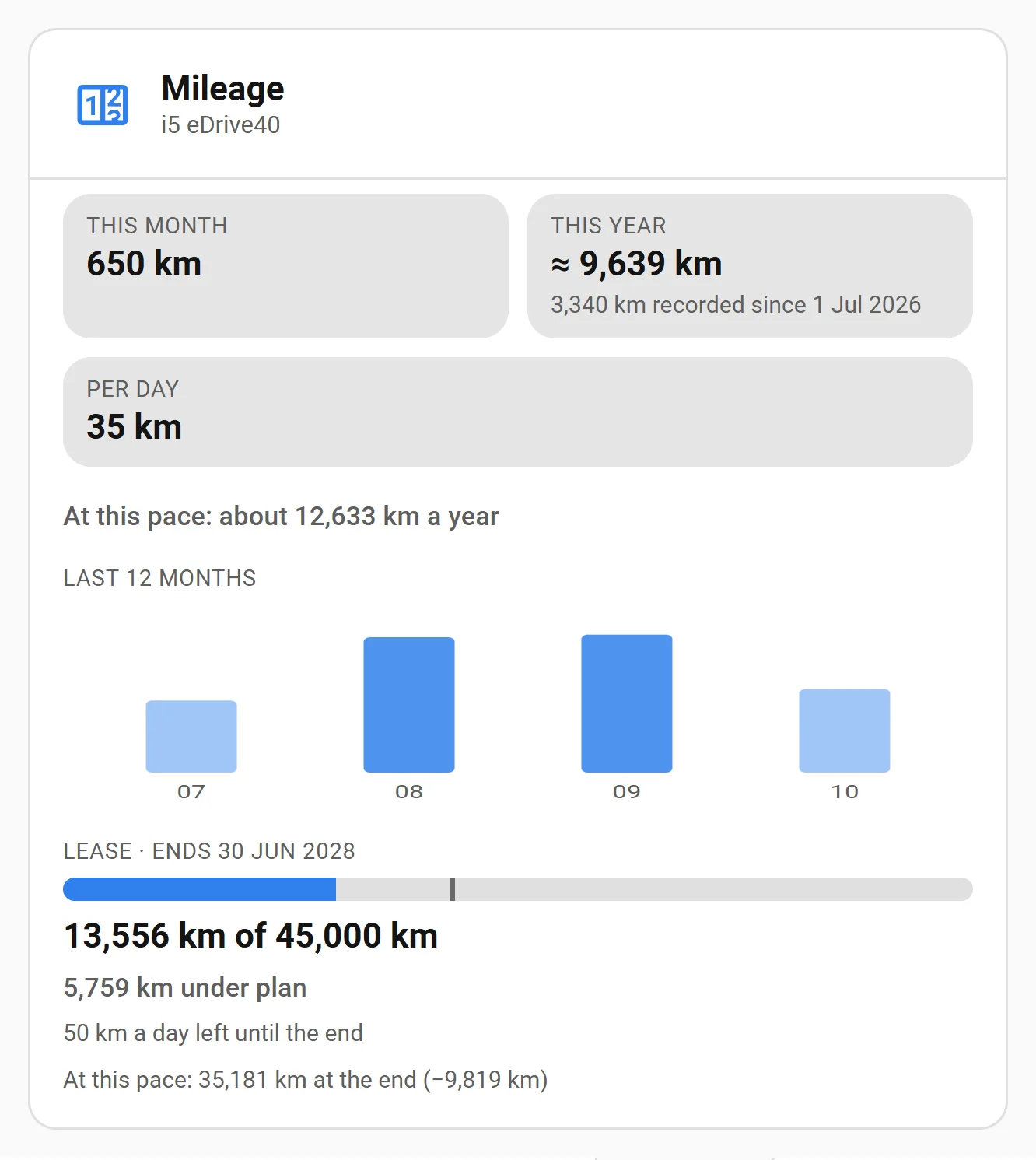
How far each car is driven: this month, this year, month by month, and its pace. If the car has a mileage limit, from a lease or from your insurance, BavarianData also shows whether you’re under or over plan and what’s left. Everything is read off the car’s own odometer, so it costs no API quota.
Where the figures come from
BavarianData keeps one odometer reading a day for each car, the highest of that day. The odometer can’t miss a kilometer the way a trip can: whatever happened between two readings, their difference is exactly what was driven. On the day you upgrade, the log starts with the readings stored with your charging history, so most installs already have months of data.
- This month / this year: from the odometer at the start of the period to the latest reading. If the log started this year, this year is an estimate: the recorded distance plus the days before the log at your pace, shown as ”≈ 9,640 km” with what was actually recorded below it. Without a pace yet, it shows the recorded distance, marked since recording began.
- Last 12 months: one bar per calendar month, worked out at the month boundaries between the readings around them.
- Per day and the yearly pace: the average over the last 90 days. It shows once the readings span four weeks; until then there’s no pace rather than a guess. The same pace places distance-only items in the service calendar.
A mileage allowance
Set one per car under Configure → Mileage allowance (the screens). There are two kinds:
- Lease or financing: start date, end date, the allowance per year and the odometer at handover. The total is the yearly allowance times the contract’s length (three years at 15,000 km is 45,000 km). The hand-back day also appears in the service calendar.
- Yearly limit: a limit that renews on the same day every year, such as your insurance’s annual mileage or a company-car rule. You enter the odometer on the most recent start of the year; every later year starts from the reading BavarianData logged on that day.
What you see:
| Figure | Meaning |
|---|---|
| Used | Odometer now minus the odometer at the start. |
| Plan to date | The allowance spread evenly over the period, up to today. |
| Under / over plan | Plan to date minus used. Positive means km to spare. |
| A day left until the end | What’s left of the allowance, divided by the days left. |
| At this pace | Used plus your 90-day pace until the end, and how far that lands from the allowance. |
The odometer at handover is what the comparison stands on. If you don’t have it, the screen fills in today’s reading. That’s only right if the contract starts today; for an older contract, take the number from the handover papers.
Several cars? Each car has its own allowance, or none. A car added later never takes over another car’s lease.
Where to see it
- The card’s Mileage view (
view: mileage). - The Mileage Allowance Balance sensor, disabled by default: under (+) or over (−) plan in km, with used, remaining, km a day left and the projected end as attributes. Unknown while the car has no allowance. Enable it on the car’s device for automations, e.g. a warning once you’re 500 km over plan.
- The
bavariandata.get_mileage_reportservice (fields) returns all of it as response data.